
Callback Functions in JavaScript
Let's Actually Understand Callback Functions in JavaScript
Frontend Developer 💻 | Fueled by curiosity and Tea ☕ | Always learning and exploring new technologies.
You've probably typed something like this and moved on without really thinking about it:
setTimeout(function() {
  console.log("hello");
}, 1000);
That function you passed inside setTimeout?
That's a callback. And once you truly understand what's happening there, a huge chunk of JavaScript events, fetch, promises, array methods, suddenly makes complete sense.
Let's start from the very beginning.
Functions Are Just Values
Before we even touch callbacks, you need to see something that surprises a lot of beginners.
In JavaScript, a function isn't special. It's just a value like a number, a string, or an object. That means you can store it in a variable, put it in an array, and yes, pass it as an argument to another function.
Watch:
// a number stored in a variable
const age = 25;

// a string stored in a variable
const name = "Satpal";

// a function stored in a variable — same idea
const greet = function() {
  console.log("Hello!");
};
greet is just a variable that holds a function. You can pass it around exactly like you'd pass age or name. This one idea is the entire foundation of callbacks.
So What Is a Callback Function?
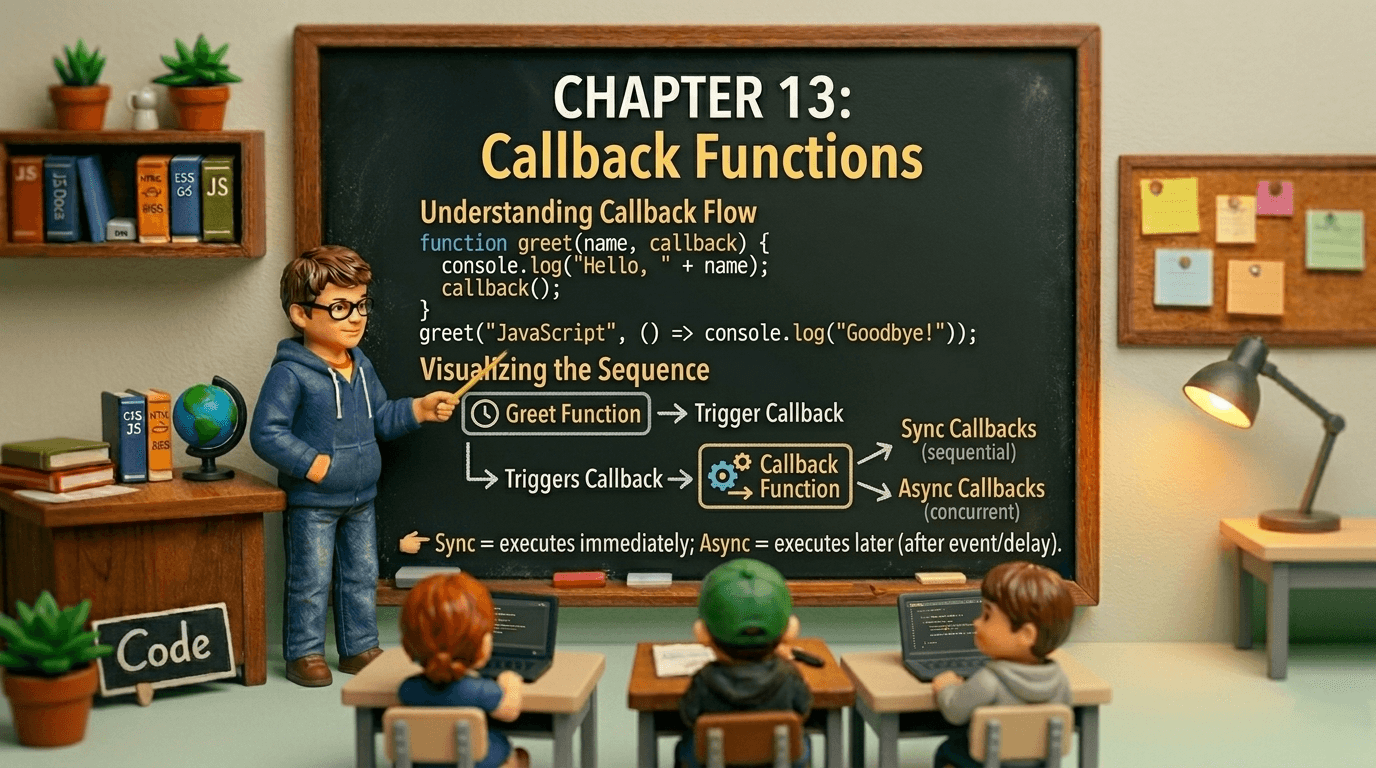
A callback is simply a function that you pass into another function, so that other function can call it later.
That's it. Nothing magical. Just a function being passed as an argument.
function doSomething(callback) {
    console.log("doing the task...");
    callback(); // calling the function you passed in
}

function finished() {
  console.log("task complete!");
}


doSomething(finished);

// Output:
// doing the task...
// task complete!

Notice: we wrote finished not finished(). When you write finished(), you're calling it right then. When you write finished, you're passing the function itself handing it over like a recipe card. The other function decides when to cook.
A Real-World Analogy
Think about ordering food at a restaurant.
You place your order and give the waiter your phone number. You don't stand at the counter waiting. You go sit down. When the food is ready, the kitchen calls you back.
Your phone number is the callback. You handed it over and said "call this when the thing is done."
JavaScript works exactly the same way. You hand a function over and say "run this when you're done."
Passing Functions as Arguments
Let's see this in non-async situations first, because callbacks are not just an async thing.
Example 1:
A simple custom function:
function greetUser(name, callback) {
  const message = "Hello, " + name + "!";
  callback(message); // passes the message to your callback
}

greetUser("Priya", function(msg) {
  console.log(msg); // Hello, Priya!
});
Example 2 — you already use callbacks with array methods:
const numbers = [1, 2, 3, 4, 5];

// the function you pass to .filter() is a callback
const evens = numbers.filter(function(num) {
  return num % 2 === 0;
});

console.log(evens); // [2, 4]
Every time you use .map(), .filter(), .forEach(), .sort() — you are already writing callbacks. Every day. You just might not have called them that.
Why callbacks exist
Here's the real reason callbacks are everywhere. JavaScript runs in a single thread. That means it can only do one thing at a time. When it hits something slow — a network request, a file read, a timer it can't just freeze and wait. The whole page would lock up.
So instead, JavaScript says: "I'll start this task, then come back to the rest of the code. When the slow thing finishes, call this function."
console.log("1. Start");

setTimeout(function() {
  console.log("2. This runs after 2 seconds");
}, 2000);

console.log("3. This runs immediately");

// Output:
// 1. Start
// 3. This runs immediately
// 2. This runs after 2 seconds   ← came back later
JavaScript didn't pause at the setTimeout. It registered your callback, moved on, and came back when the timer expired. That's the whole idea.
Callbacks in common scenarios
You see this pattern everywhere once you know what to look for.
Reading a file (Node.js):
fs.readFile("data.txt", function(error, content) {
  if (error) {
    console.log("Something went wrong");
    return;
  }
  console.log(content);
});
Listening for a button click:
button.addEventListener("click", function() {
  console.log("button was clicked!");
});
Fetching data from an API (older style):
fetchUserData(userId, function(user) {
  console.log("Got user:", user.name);
});
In every case, the pattern is the same. You're handing off a function and saying: run this when you have the result.
Callback nesting
Now for the part nobody warns you about early enough.
Callbacks work great for one operation. But real applications chain operations. Get the user, then get their orders, then get each product in the order. Each step needs the result from the previous one. So you nest a callback inside a callback inside a callback.
getUser(userId, function(user) {
  getOrders(user.id, function(orders) {
    getProduct(orders[0].productId, function(product) {
      getReviews(product.id, function(reviews) {
        console.log(reviews); // finally got what we needed
      });
    });
  });
});
Every new requirement pushes the code one level deeper. This is what developers call callback hell

The problem isn't just visual. Code this deep is genuinely hard to maintain. Add error handling at each level and it gets worse. Move a step around and you're hunting through nested brackets. Debug it and you're tracing a path through a maze.
This is not a hypothetical problem it's what pushed the JavaScript community to invent Promises and then async/await. Those tools exist entirely to solve the mess callbacks create when chained.
But here's the important thing to remember: Promises and async/await don't eliminate callbacks. They're built on top of the same concept. Understanding callbacks is understanding the foundation of async JavaScript.