

Synchronous vs Asynchronous JavaScript
Let's Actually Understand sync and async in JS
Frontend Developer 💻 | Fueled by curiosity and Tea ☕ | Always learning and exploring new technologies.
You've probably heard these words thrown around. But if someone asked you to explain the difference right now, would you freeze up a little?
Don't worry. By the end of this, it'll feel obvious. Let's start from zero.
JavaScript Runs One Line at a Time
Before we talk about async, you need to understand how JavaScript normally works.
JavaScript is single-threaded. That's a fancy way of saying it can only do one thing at a time. It reads your code top to bottom, line by line, finishing each one before moving to the next.
That's synchronous code. And honestly, most of the time it's fine:
console.log("Step 1 — make coffee");
console.log("Step 2 — open laptop");
console.log("Step 3 — start coding");


No surprises. JavaScript read it top to bottom. Done.
Then what is the problem?
What If One Step Takes Forever?
Now imagine step 2 was "wait for the kettle to boil" and that took 4 minutes.
In synchronous world, JavaScript would just… stand there. Frozen. Doing nothing. Waiting. And everything after it your entire app would be on hold too.
That's called blocking code. And on the web, it's a disaster.

Think about what happens when a website fetches data from a server. That server might be in another country. It might take 2 seconds to respond. If JavaScript just sat there waiting synchronously, your entire page would freeze. No scrolling. No clicking. Nothing. Just a white screen staring back at the user.

That's why JavaScript needed a way to say: "go do that thing, and come back when you're done an I'll carry on in the meantime."
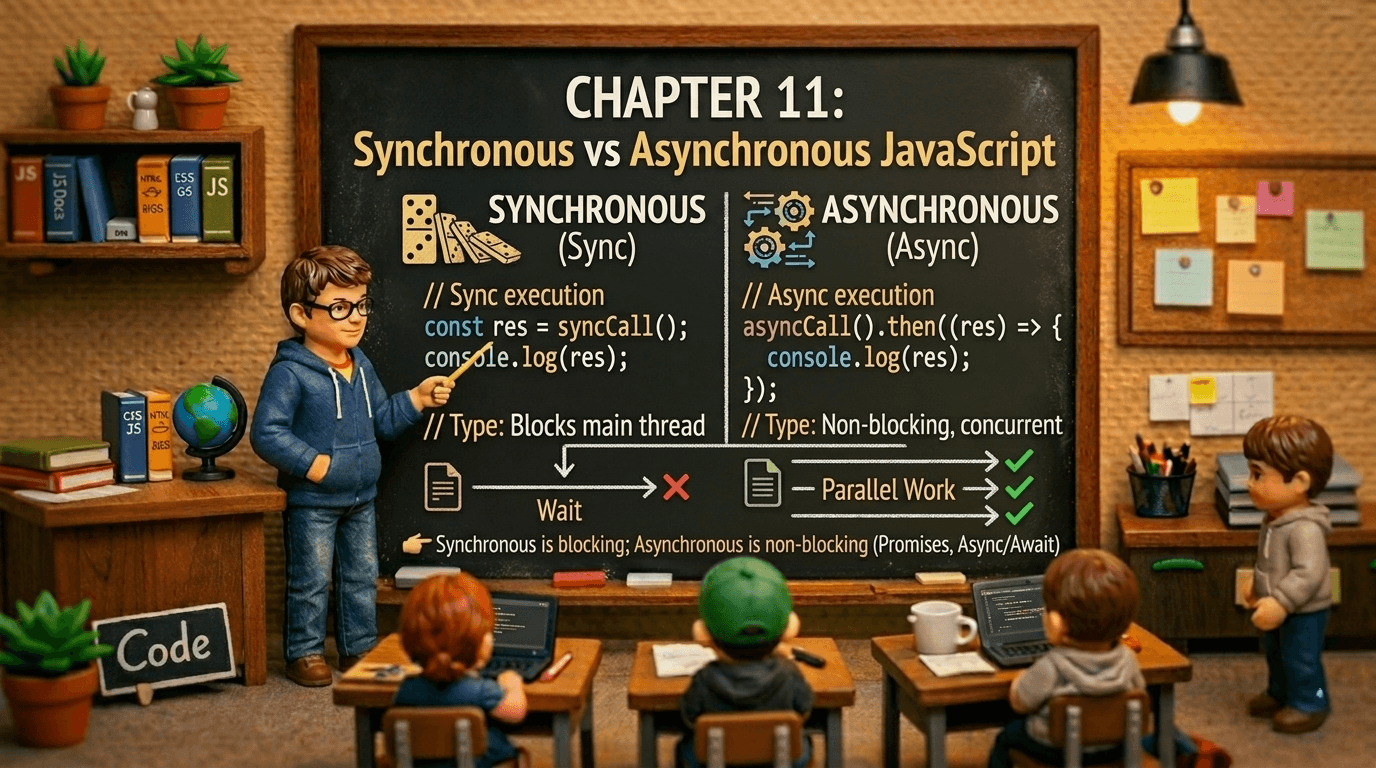
That's asynchronous code.
Js need someone who says:
Tu jaa bhai kaam kar le… main tab tak zindagi sambhaal leta hoon 😌
Let's understand what async really mean
Think of a busy coffee shop.
Synchronous would be the barista taking one order, making that drink completely, handing it over, then taking the next order. Everyone behind you waits in silence. The queue backs up. It's painful.
Asynchronous is how real coffee shops work. The barista takes your order, shouts it to the machine, then immediately takes the next person's order. When your drink is ready, they call your name. You collect it. Nobody was blocked waiting for you.
JavaScript works the same way when it's async. It starts a task, sets it aside, keeps going, and comes back when the result is ready.
Real Life Examples Where You Need Async
Here are situations where synchronous code would completely break your app:
Fetching data from an API: When you call an external server, you have no idea how long it'll take. Could be 200ms, could be 3 seconds. You can't block everything waiting.
Timers:
setTimeouttells JavaScript "do this after 2 seconds." Synchronous JavaScript can't just pause for 2 seconds.Reading files: In Node.js, reading a file from disk takes time. You don't want your server frozen while it reads a config file.
User interactions: You can't predict when a user clicks a button. The code waiting for that click can't block everything else.
Seeing the Difference in Code
Here's synchronous code fetching data the kind that would break everything:
// Imagine this magically waits for the server (it doesn't work like this)
const data = fetchFromServer(); // ← everything freezes here
console.log(data); // ← only runs after the wait console.log("This is stuck too");
Now here's the async version where JavaScript keeps moving:
fetch('https://api.example.com/data')
  .then(response => response.json())
  .then(data => console.log(data)); // ← runs when ready

console.log("This runs immediately, without waiting!"); // ← runs right now
Let's Breakdown above example
Fetching Starts

JS keep going

Data arrives

Output Order

The Three Eras of Async JavaScript
JavaScript didn't always handle async code cleanly. It evolved through three stages and understanding all three matters, because you'll see all of them in real codebases.
Era 1: Callbacks (The Old Way)
The original solution was simple: pass a function as an argument, and run it when the job's done.
setTimeout(function() {
  console.log("2 seconds later...");
}, 2000);
For simple cases, fine. But the moment you needed to chain several async steps together, things got ugly fast:
getUser(userId, function(user) {
  getOrders(user.id, function(orders) {
    getOrderDetails(orders[0].id, function(details) {
      sendEmail(details, function(response) {
        console.log("Done... finally");
        // welcome to Callback Hell
      });
    });
  });
});
This pyramid of doom is called Callback Hell. Each step depends on the previous one, and the nesting goes deeper and deeper. Debugging this is miserable. Handling errors in this is worse.
Era 2: Promises (The Better Way)
In 2015, JavaScript introduced Promises, objects that represent a value that will be available eventually.
A Promise has three states:
Pending — still waiting
Fulfilled — it worked, here's the result
Rejected — something went wrong
fetch('https://api.example.com/user')
  .then(response => response.json())   // fulfilled → transform data
  .then(user => console.log(user))     // fulfilled → use it
  .catch(error => console.log(error)); // rejected  → handle error
Much cleaner. Flat chain instead of a pyramid. Errors handled in one place with .catch().
But chaining many .then() calls could still feel verbose. So JavaScript went one step further.
Era 3: Async/Await (The Modern Way)
async/await is just a cleaner way to write Promises. Under the hood it's still Promises — it just looks synchronous, which makes it dramatically easier to read and reason about.
async function getUser() {
  try {
    const response = await fetch('https://api.example.com/user');
    const user     = await response.json();
    console.log(user);
  } catch (error) {
    console.log("Something went wrong:", error);
  }
}
The await keyword tells JavaScript: "pause this function here and wait for the Promise to resolve — but don't block the rest of the app."
Notice how it reads almost like synchronous code. That's the whole point.
Key rules for async/await:
awaitcan only be used inside a function markedasyncAn
asyncfunction always returns a Promise, even if you don't writereturn PromiseErrors are handled with normal
try/catch— no more.catch()chains
The Stuff Most Devs Don't Know
You understand the basics now. Here's where it gets genuinely interesting.
The Asynchronous Task Queue
You've seen that JavaScript can come back to async code later. But where does that code go while it's waiting? And who decides when it runs?
That's the job of the task queue system and once you see it, async JavaScript will never feel mysterious again.
There are three players working together at all times.
The call stack is where your code actually executes. Every function call goes onto the stack. When it finishes, it pops off. JavaScript can only run one thing at a time here, it's strictly one in, one out.
The Web APIs (in the browser) are external helpers that live outside JavaScript. When you call setTimeout, fetch, or add an event listener, JavaScript hands that job off here and immediately moves on. The Web API does the waiting so JavaScript doesn't have to.
The task queue (also called the callback queue) is the waiting room. When a Web API finishes its job. The timer expired, the server responded, the user clicked, it puts the callback here. It doesn't jump straight into execution. It waits politely.
The event loop is the traffic officer. It runs in a constant loop asking one question: is the call stack empty? The moment it is, it takes the first item from the task queue and pushes it onto the stack.
That's the whole system. Simple in concept, powerful in effect.

Now let's watch it work step by step with real code. This is where it fully clicks.
Example Code
// the code we are tracing through
console.log("A")
setTimeout(() => console.log("B"), 0)
console.log("C")
Lets see how it's work BTS,
Start

A logs

setTimeout

C logs

Stack clears

B logs

Output

Now here's the part that trips up even experienced developers. There isn't just one queue. There are two and they have different priorities.
The microtask queue handles Promises and queueMicrotask. It has higher priority than the regular task queue. After every single task, the event loop drains the entire microtask queue before it picks up the next regular task. Even if a microtask adds another microtask, they all get processed before moving on.
The macrotask queue (the regular task queue) handles setTimeout, setInterval, and I/O callbacks. These wait until the microtask queue is completely empty.

This is the full picture of the async task queue system:
The call stack runs your code. The Web APIs do the waiting. Completed callbacks land in one of two queues
The microtask queue for Promises (high priority, drained completely after every task) or the macrotask queue for timers and I/O (lower priority, one per turn).
The event loop ties it all together, constantly watching the stack and feeding it the next piece of work in the right order.
That two-queue priority is why Promise always beats setTimeout, not because Promises are faster, but because they sit in a queue the event loop checks first. Once you see that, the output order of any async code becomes completely predictable.
"Programs must be written for people to read, and only incidentally for machines to execute."
-- Harold Abelson