

Frontend Developer 💻 | Fueled by curiosity and Tea ☕ | Always learning and exploring new technologies.
Array
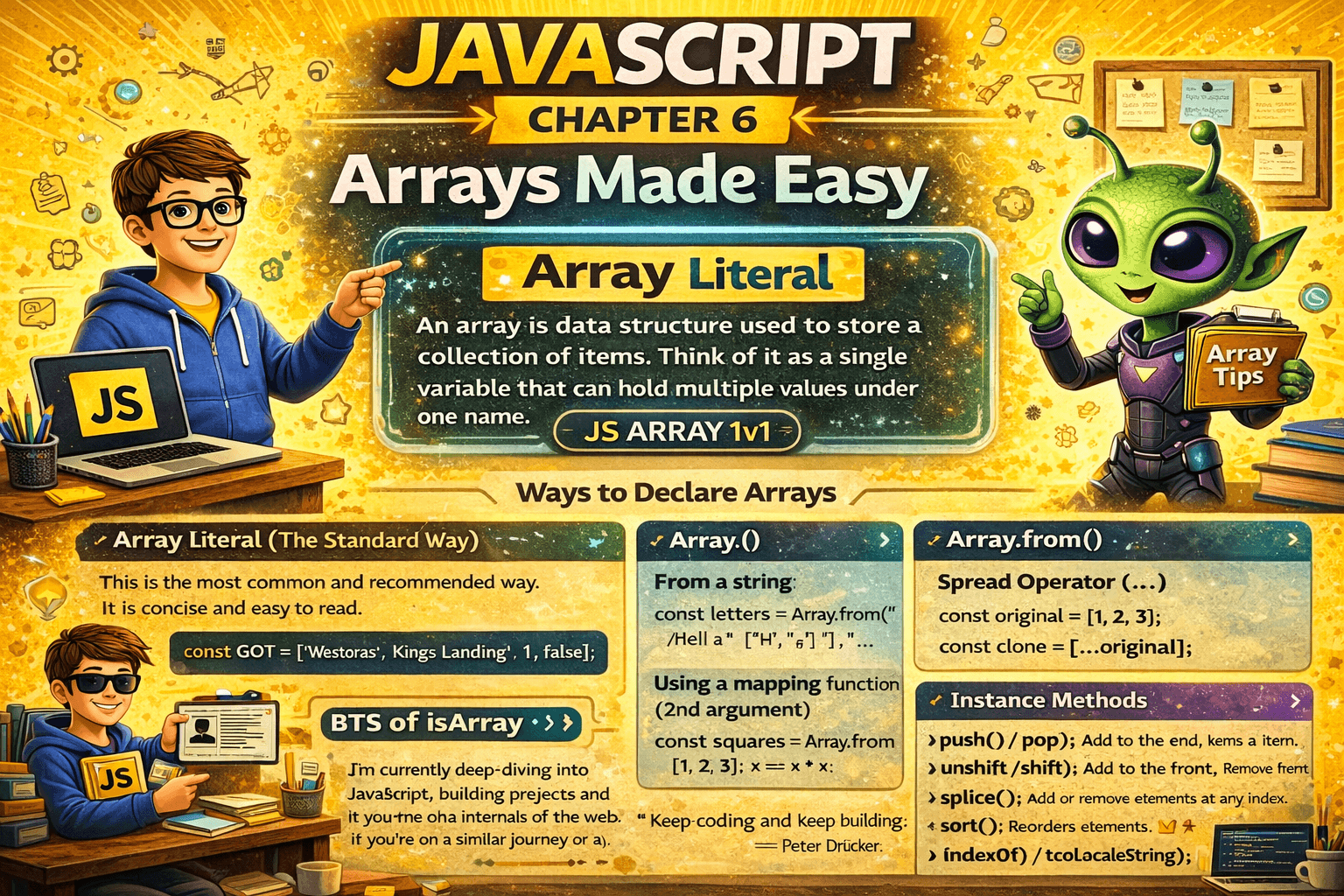
An array is a data structure used to store a collection of items. Think of it as a single variable that can hold multiple values under one name.
To know more on Array read my Article on Array : JS Array 1v1
Ways to Declare Array
Array Literal (The Standard Way)
This is the most common and recommended way. It is concise and easy to read.
const GOT = ["Westoras", "Kings Landings" , 1 , false];

Array() Constructor
You can use the built-in Array global object. This behaves differently depending on how many arguments you pass.
// Case A: Multiple arguments (creates an array with these items)
const numbers = new Array(1, 2, 3); // [1, 2, 3]

// Case B: Single numerical argument
const emptySlots = new Array(5);
// Creates an array of length 5 with NO items

Array.of()
Introduced in ES6, this was created to fix the Single Argument confusion of the Array() constructor.
const singleNum = Array.of(5); // [5]

Array.from()
This is used to create an array from an array-like or iterable object.
// From a string
const letters = Array.from("Hello"); // ["H", "e", "l", "l", "o"]

// Using a mapping function (2nd argument)
const squares = Array.from([1, 2, 3], x => x * x); // [1, 4, 9]

Spread Operator (...)
Often used to clone an existing array or convert other iterables.
const original = [1, 2, 3];
const clone = [...original];

Arrays Methods
Static Methods
A static method is a function belonging to a class rather than an instance of that class.
Array.isArray()
Think of Array.isArray() as a specialized security guard at a club. His only job is to check if
BTS of isArray
The "Are you even an Object?" Check
First, the guard checks if you are an object. If you are just a piece of text (string), a number, or a simpletrue/false, he doesn't even look at your ID.
He says False immediately.The "Hidden Stamp" Check
If you are an object, he looks for a hidden "Array" stamp inside you. In JavaScript, arrays are "special" objects because they have a.lengthproperty that grows and shrinks automatically. Only objects with this specific internal "DNA" get the stamp.
If he sees the stamp, he says True.The "Mask" (Proxy) Check
Sometimes, an array wears a mask (called a Proxy). The guard is smart if he sees a mask, he asks the person to take it off so he can check the face underneath. If the person behind the mask is an array, he's happy.
He checks the real person and says True.
Why not just use instanceof?
You might see people use myList instanceof Array. While that usually works, it has one major weakness:
Imagine two different countries (Iframes). Each country has its own "Array" rules.
instanceofis like a guard who only recognizes passports from his own country. If an array comes from another country (iframe), he says "I don't know you!"Array.isArray()is like a guard who knows what an Array looks like regardless of what country it came from. It's the universal gold standard.
of() & from()
As discussed above it is used to create an Array.
fromAsync()
New available method(2024), that creates an array from an async iterable, iterable, or array-like object and returns the result as a Promise.
const urls = [
  "https://jsonplaceholder.typicode.com/posts/1",
  "https://jsonplaceholder.typicode.com/posts/2",
  "https://jsonplaceholder.typicode.com/posts/3"
]

const responses = await Array.fromAsync(urls, async (url) => {
  const res = await fetch(url)
  return res.status
})

console.log(responses) // [200,200,200]
Instance Methods
Mutator Methods
These methods modify the array they are called on.
push()/pop(): Add to the end / Remove from the end. (Fast)unshift()/shift(): Add to the front / Remove from the front. (Slow, re-indexes everything).splice(): The surgical blade. Adds or removes elements at any index.sort(): Reorders elements. By default, it converts everything to strings to sort them, which is why[10, 2]becomes[10, 2]because "1" comes before "2".reverse(): Flips the array.fill(): Replaces a range of elements with a static value.copyWithin(): Copies a part of the array to another location within the same array without changing its length.
Accessors Methods
These do not touch the original array. They return a new value or a new array.
at(): Takes an index and returns the item. It supports negative indices!arr.at(-1)gives you the last item.concat(): Merges two arrays into a new one.join(): Squashes the array into a string.slice(): Takes a "snapshot" of a portion of the array.indexOf()/lastIndexOf(): Returns the first or last index where a value is found.includes(): Returnstrue/falseif a value exists.toString()/toLocaleString(): Converts the array to a string (local version handles dates/currency better).
The New Immutable Methods (ES2023)
These are the modern versions.
toReversed(): Likereverse(), but leaves the original alone.toSorted(): Likesort(), but returns a new sorted array.toSpliced(): The safe version ofsplice().with(): The safe way to change one item.arr.with(2, "New")returns a new array with the item at index 2 changed.
Iterators methods
These methods use a callback function to process the array.
forEach(): Executes code for each item. Returnsundefined.map(): Transforms each element of an array and returns a new array.some(): Checks if at least one item passes a test. Returns Boolean.every(): Checks if all items pass a test. Returns Boolean.find(): Finds the first item that matches. Returns The Item (orundefined).findLast(): Finds the last item that matches. Returns The Item.findIndex(): Finds the index of the first match. Returns Number.findLastIndex(): Finds the index of the last match. Returns Number.reduce(): Boils the array down to a Single Value (like a sum or a single object).reduceRight(): Same as reduce, but starts from the end of the array.

Revise Most Common but tricky methods
sort()
The most common mistake with sort() is assuming it sorts numbers correctly by default. In the JS Kingdoms, sort() treats everyone like a string, comparing them by their "dictionary" order rather than their value.
The Quirk: By default,
[10, 2, 22]becomes[10, 2, 22]because "1" comes before "2" in Unicode.The Fix: You must provide a compare function.
const powerLevels = [10, 2, 22, 5];

// Correct numeric sort
powerLevels.sort((a, b) => a - b);
// Output: [2, 5, 10, 22]

// BTS Logic: If (a - b) is negative, 'a' comes first.
// If positive, 'b' comes first. If 0, they stay put.
reduce()
This is arguably the most powerful yet confusing method. It takes an entire army of data and reduces it into a single value, which could be a number, a string, or even a completely different object.
The Strategy: It uses an accumulator (the running total) and the current value.
The Pro Tip: Always provide an initial value to avoid errors with empty arrays.
const treasury = [100, 200, 300];

const totalWealth = treasury.reduce((acc, gold) => {
  return acc + gold;
}, 0); // 0 is the starting point

console.log(totalWealth); // 600
splice()
Unlike slice(), which is a peaceful scout, splice() is a warrior that changes the original array. It is complex because it handles deleting and inserting at the same time.
The Syntax: splice(index, howManyToRemove, itemToInsert1, itemToInsert2...)
const houses = ["Stark", "Lannister", "Targaryen"];

// At index 1, remove 1 item and add "Tyrell" and "Martell"
houses.splice(1, 1, "Tyrell", "Martell");

console.log(houses);
// ["Stark", "Tyrell", "Martell", "Targaryen"]
flatMap()
Often, you’ll find yourself using .map() followed by .flat(). flatMap() combines these into a single pass, which is more performant and cleaner to read.
- The Strategy: It maps each element using a mapping function, then flattens the result by one level.
const messages = ["Winter is", "Coming soon"];

const words = messages.flatMap(msg => msg.split(" "));
// Output: ["Winter", "is", "Coming", "soon"]

// Without flatMap, you'd get: [["Winter", "is"], ["Coming", "soon"]]
"The best way to predict the future is to create it."
— Peter Drucker
Let's Connect! 🚀
I’m currently deep-diving into the JavaScript, building projects and exploring the internals of the web. If you're on a similar journey or just love talking about JavaScript, let’s stay in touch!
Connect on LinkedIn: Satpalsinh's Profile
Follow my Blog: blogs.satpal.cloud
Keep coding and keep building.